12 min read
Best Video Game Tracking Apps in 2026: 5 Apps to Track Playtime, Collection, and Achievements
Five strong video game tracking apps, ranked by real-world usefulness for players who want to track playtime, organize collections, manage their backlog, and keep achievements in view.
In this resource
What Makes a Great Video Game Tracking App?
The best video game tracking apps help you stay organized in a way that fits how you play. Some players want better backlog management, others want playtime tracking, collection tools, or achievement support.
The most useful apps make it easy to track what you are playing, what you have finished, and what to play next. This list focuses on apps that are genuinely practical for everyday use, with strengths in library management, progress tracking, discovery, playtime, collection tracking, or achievements.
1. Video Game Tracker - VGT
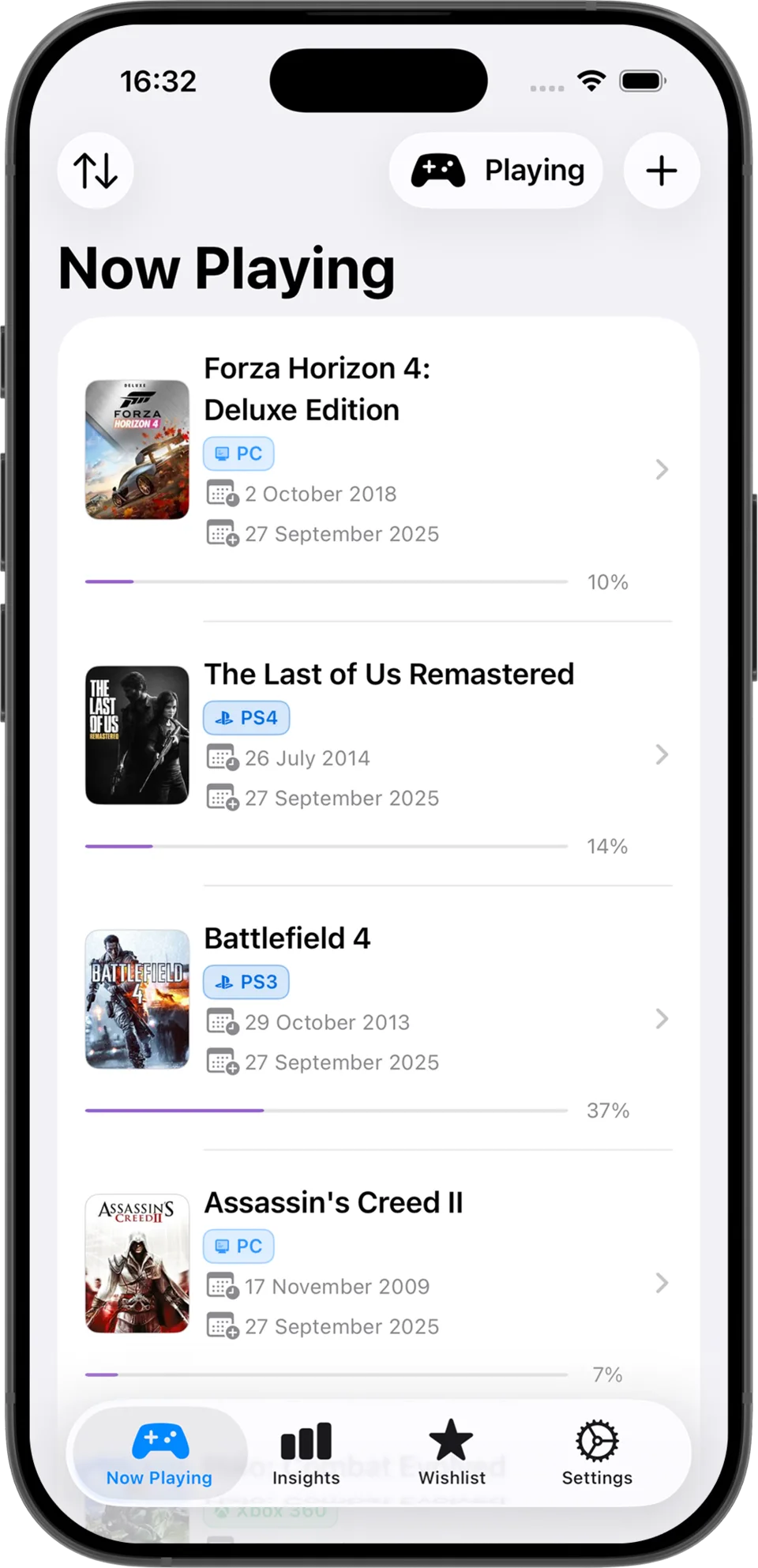
Video Game Tracker focuses on the part of game tracking that most people actually maintain over time: keeping a clear library, knowing what is actively in rotation, seeing progress move forward, and getting enough insight to make better decisions about the backlog. That sounds simple, but it is exactly where many tracking apps fall apart. They either become too social, too cluttered, or too focused on edge cases. Video Game Tracker feels useful because it stays quick to open, easy to update honestly, and realistic to keep using after the novelty wears off.
It is especially strong for players who care more about consistent tracking than about building a public profile. The iPhone-first experience, widget support, searchable database, progress history, and lightweight analytics make it a very practical daily driver. If your goal is to track playtime momentum, maintain an organized collection, and keep your backlog readable without babysitting a dozen integrations, this is the best place to start. It is not the most achievement-centric app in this roundup, but as an overall tracking app it is the one I would recommend first to most players.
- Focused iPhone workflow for now playing, backlog, wishlist, and completed games.
- Progress tracking and play history that stay readable instead of turning into admin work.
- Built-in analytics and widgets that help surface momentum, habits, and library health.
- Fast search and add flow for keeping your personal collection current.
2. GameTrack
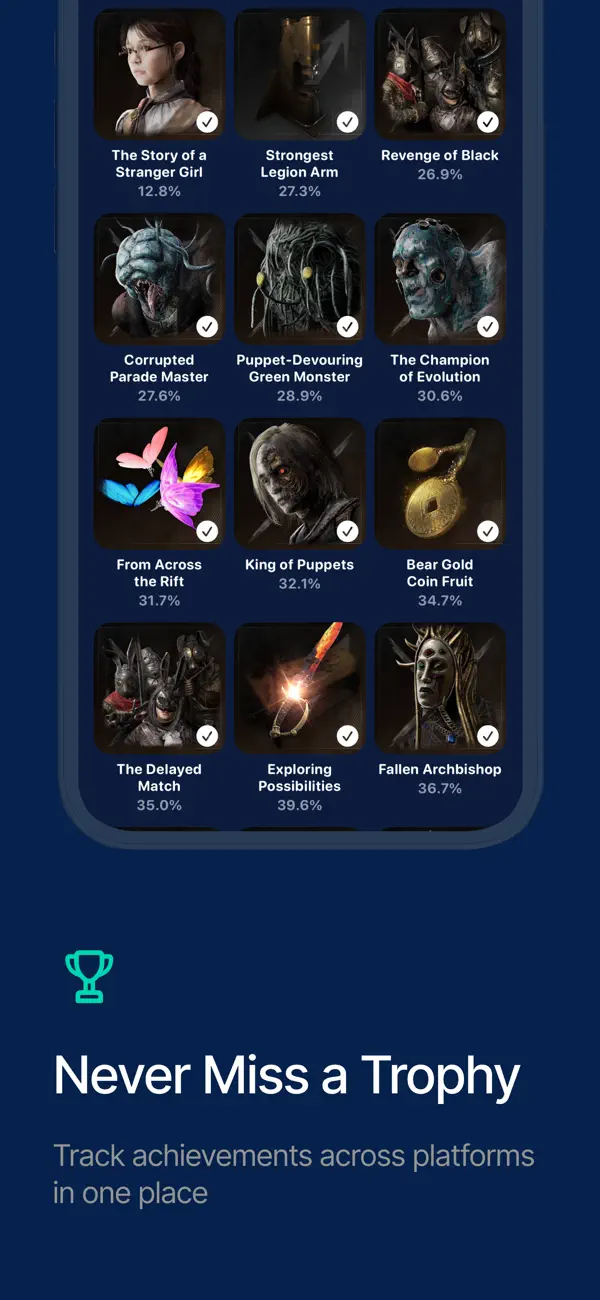
If you want the strongest achievement-oriented alternative in this group, GameTrack is the easiest app to recommend. Its App Store listing is unusually clear about what it does well: library tracking, backlog states, built-in session logging, hours played, completion stats, and account connections for PlayStation, Xbox, Steam, Epic Games, and RetroAchievements. That combination matters because it closes the gap between private tracking and real platform data. Instead of manually maintaining everything, you can use imported libraries and achievements to make the app feel more alive.
GameTrack is also broader than a pure tracker. It leans into discovery, recommendations, community activity, reviews, and cross-device sync, so it can become a bigger part of your gaming routine than a simple status app. The tradeoff is that it feels more expansive and more feature-heavy than Video Game Tracker, which some players will love and others will find a little busier than necessary. But if achievements, platform imports, and richer social signals matter to you, GameTrack deserves to be near the top of any serious list.
- Imports libraries and achievements from PlayStation, Xbox, Steam, Epic Games, and RetroAchievements.
- Tracks hours played, completion rate, yearly stats, and session logs.
- Supports playing, completed, backlog, and wishlist states across a large game database.
- Adds recommendations, reviews, friends, and iCloud sync for a broader ecosystem feel.
3. Stash
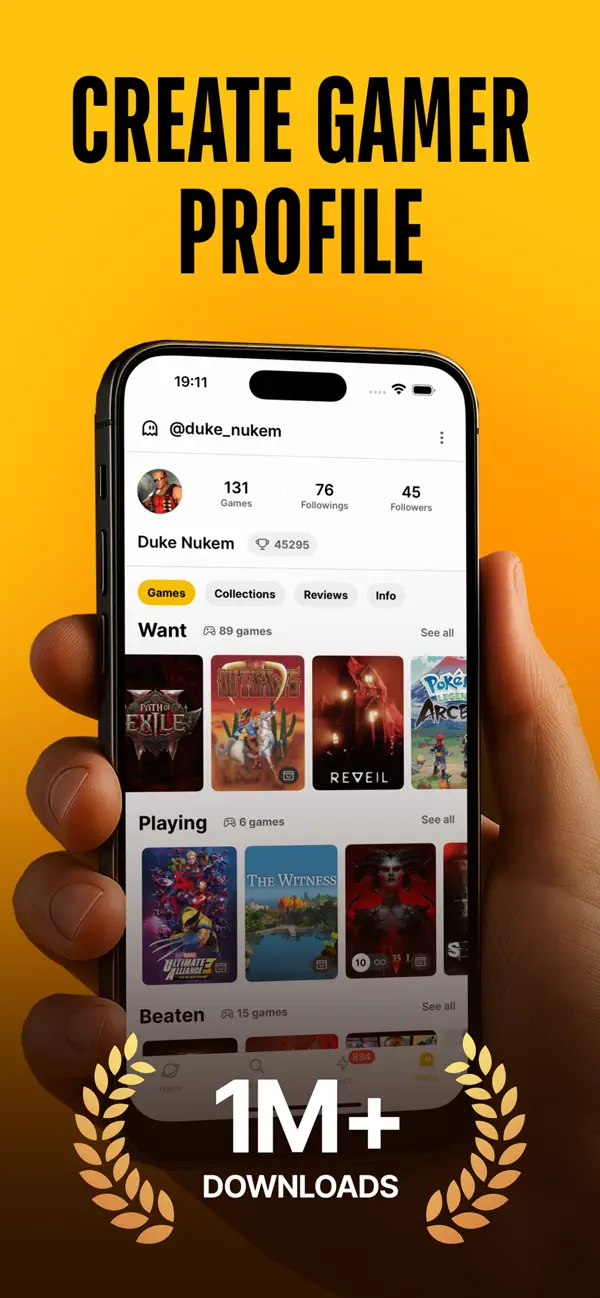
Stash is one of the better picks if you want your tracker to feel like a mix of collection manager, discovery engine, and gamer social network. The app positions itself around backlog control, community interaction, and large-database browsing, and that makes it appealing for players who enjoy the hobby around the games as much as the games themselves. You can track status across multiple lists, follow other players, import your Steam library, rate games, and use release alerts to keep an eye on what is next.
What Stash does particularly well is make your library feel active. It is not just a private notebook; it is a profile-driven space where lists, reviews, progress, and discovery all feed into each other. That is great if you like sharing taste and comparing habits, and less ideal if you want an ultra-quiet personal tracker. It also mentions achievements in a more competitive, leaderboard-style sense than in a platform-sync sense, so I would treat it as stronger for collection and community than for deep achievement tracking. Even so, it is easy to see why Stash stays in the conversation whenever players ask for the best apps to track video games playtime, collection, achievements, and backlog in one place.
- Tracks backlog, wishlist, playing, beaten, and archived states across 300,000+ titles.
- Includes Steam import, reviews, ratings, leaderboards, stats, and release alerts.
- Leans into social discovery with profiles, followers, and shared collection visibility.
- Best suited to players who want tracking plus community rather than a purely private workflow.
4. IGN Playlist
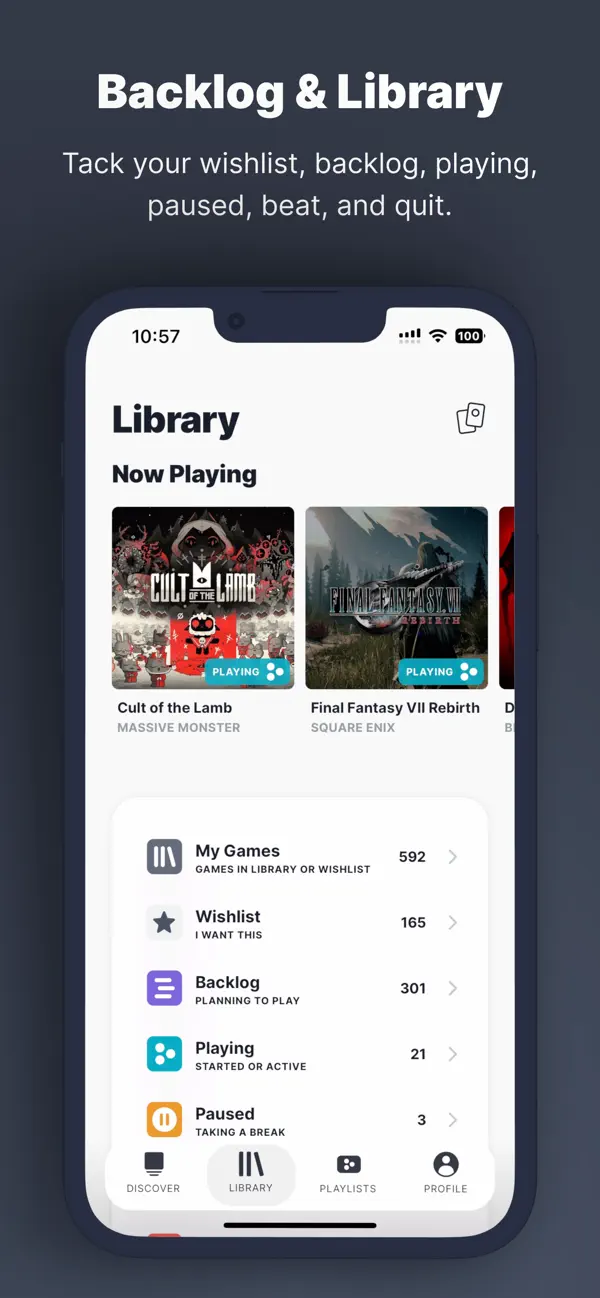
IGN Playlist is the most backlog-planning-friendly app on this list because it leans hard into organization, time estimates, and curated lists. Its biggest advantage is the built-in HowLongToBeat data, which gives the app a practical role that many competitors do not cover as clearly: helping you understand not just what you want to play, but how big that commitment actually is. For busy players, that matters. A backlog becomes easier to manage when the app can show what a main-story run looks like versus a completionist run and what your total time commitment looks like across a full playlist.
This makes IGN Playlist especially good for players who like to build themed lists, share plans, and make smarter decisions around available time. It is less of a deep achievement tracker and more of a library planner with discovery muscle, but that is still a valuable lane. Weekly discovery updates, community ratings, screenshots, playlists, and combined game-time estimates all make it stronger than a basic want-to-play list. If your main pain point is backlog sprawl and indecision rather than trophy syncing, IGN Playlist is one of the most useful tools available.
- Uses HowLongToBeat data to estimate main-story, side-content, and completionist time.
- Supports backlog, wishlist, playing, paused, beat, and quit statuses.
- Makes it easy to build and share playlists with combined estimated game time.
- Best for planning what to play next rather than deep achievement syncing.
5. GAMEYE
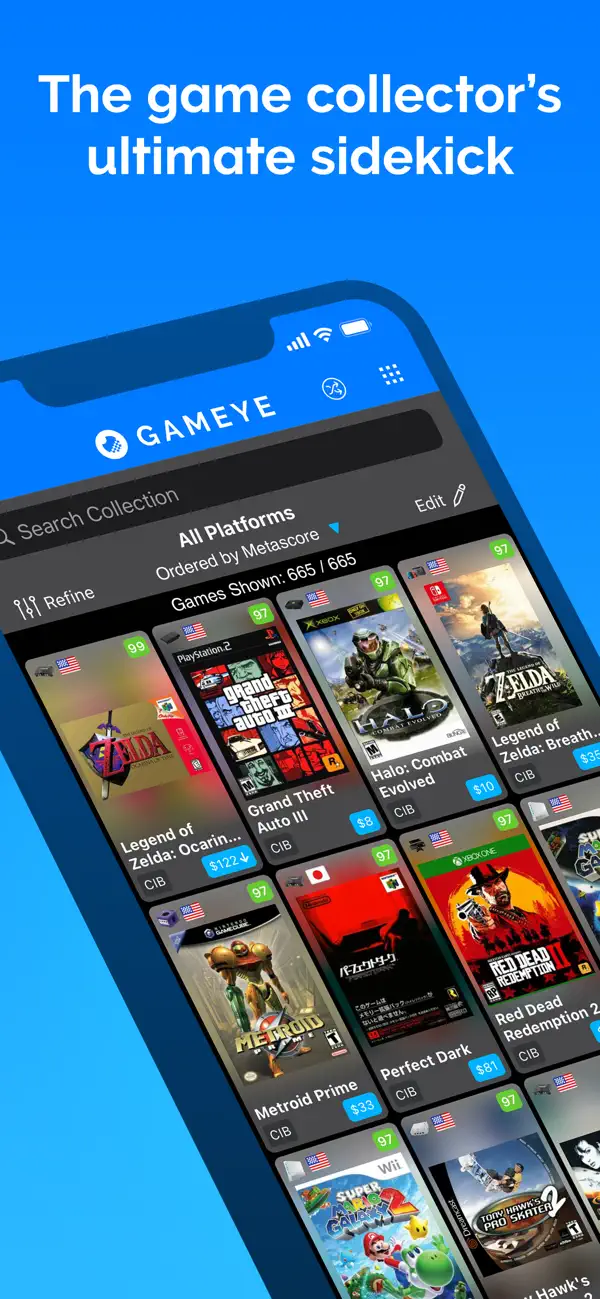
GAMEYE earns its place for one reason: it understands collectors better than most general-purpose trackers do. While several apps in this roundup are strongest when you think about active playing, GAMEYE is at its best when you think about ownership, hardware, editions, condition, value, and the broader shape of a collection. Its official description focuses on games, systems, accessories, guides, and amiibo, along with price insight and detailed record-keeping. That makes it a very good fit for players whose hobby includes shelves, rare editions, and keeping a clear record of what they own.
It is not the app I would choose first if playtime and achievements are your main priorities, but it is one of the most useful options if collection depth is what matters. The pricing layer and support for condition and cost also give it a role that backlog-focused apps simply do not try to fill. In other words, GAMEYE is not trying to be the cleanest daily play tracker. It is trying to be a serious collecting companion, and for that job it is excellent.
- Tracks games, consoles, accessories, guides, and amiibo in one collection-focused database.
- Adds pricing insight, condition tracking, and cost records for collector workflows.
- Supports 100+ platforms with broad regional coverage and community database contributions.
- Best for physical or hybrid collectors who care about ownership details as much as play status.
Which App Is Best for Playtime, Collection, and Achievements?
Video Game Tracker is the best all-around option for keeping your library, backlog, and progress organized in one place.
GameTrack is better if achievements and platform imports matter most, Stash is stronger for social discovery, IGN Playlist is best for backlog planning and time estimates, and GAMEYE is the best fit for serious collectors. The right choice depends on whether you care most about tracking, achievements, planning, or collection management.
- Best overall for most players: Video Game Tracker.
- Best for achievements and imported platform data: GameTrack.
- Best for social tracking and discovery: Stash.
- Best for backlog planning and time estimates: IGN Playlist.
- Best for serious collectors: GAMEYE.
FAQ
What is the best app to track video game playtime?
For a clean everyday workflow, Video Game Tracker is the best overall option because it keeps progress, library status, and play momentum easy to maintain. If you want platform-linked stats and imported achievements alongside playtime, GameTrack is the stronger alternative.
What is the best app to track a video game collection and backlog?
Video Game Tracker is the best balanced option for most players, while GAMEYE is the stronger pick for collectors who care about platforms, editions, accessories, pricing, and ownership details. IGN Playlist is also excellent if backlog planning is your main concern.
Which app is best for tracking achievements or trophies?
GameTrack is the most achievement-friendly option in this list because it connects to PlayStation, Xbox, Steam, Epic Games, and RetroAchievements and imports that data directly. The other apps are more focused on backlog, discovery, or collection management.
Related reading
Keep exploring backlog planning and game tracking with these pages:
Keep the momentum going
If this resource helped, Video Game Tracker might help too. Our iOS app is built to support your gaming journey with focused lists, clear progress history, and simple weekly review habits.